 Rega
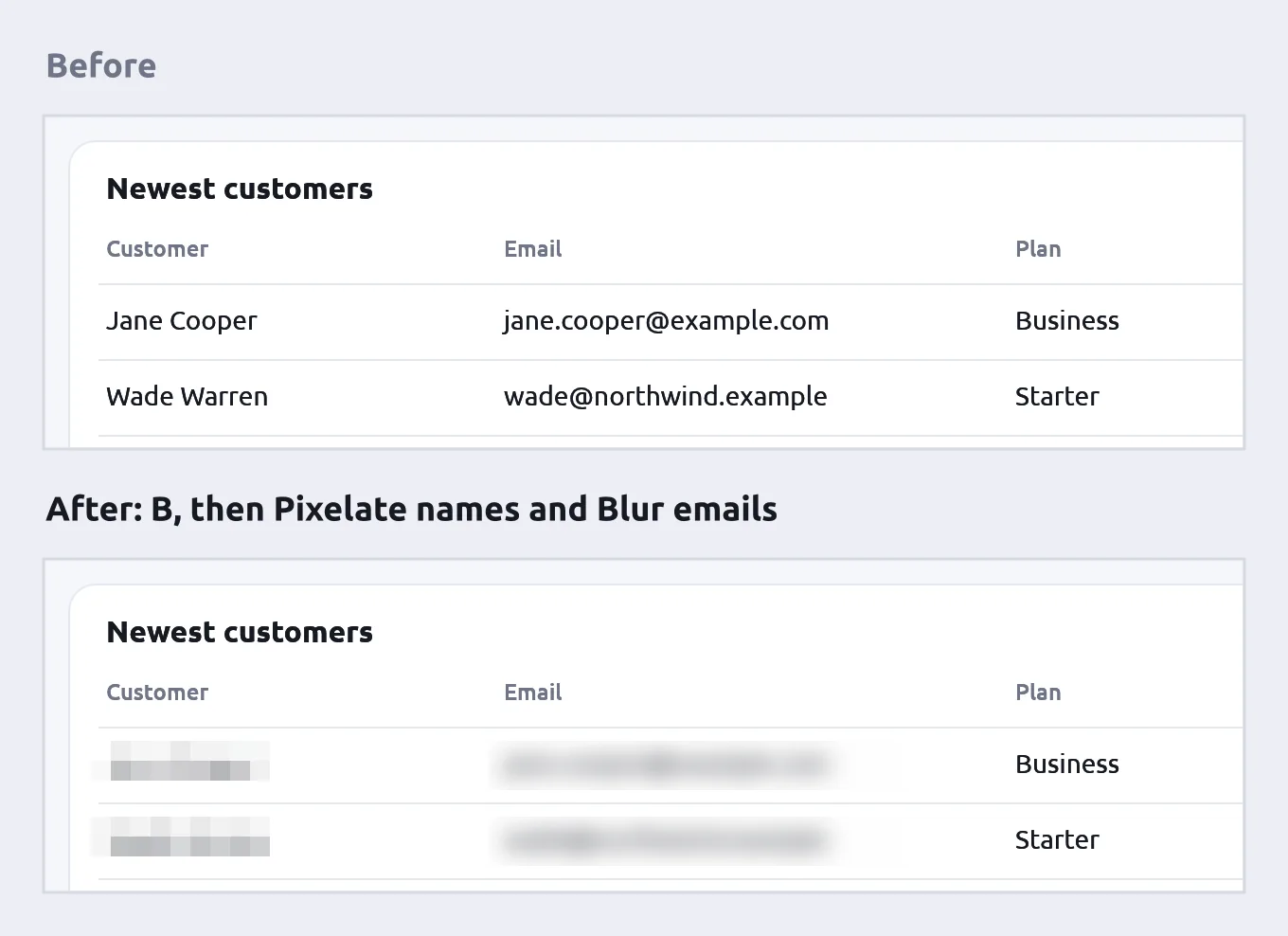
Hide what's private
Press B and drag over emails, names or tokens. Pixelate or blur — and fix a missed spot later.
Screenshots, scrolling captures, screen recordings and step-by-step guides — marked up and on your clipboard in seconds. A fast, native app for macOS and Windows.
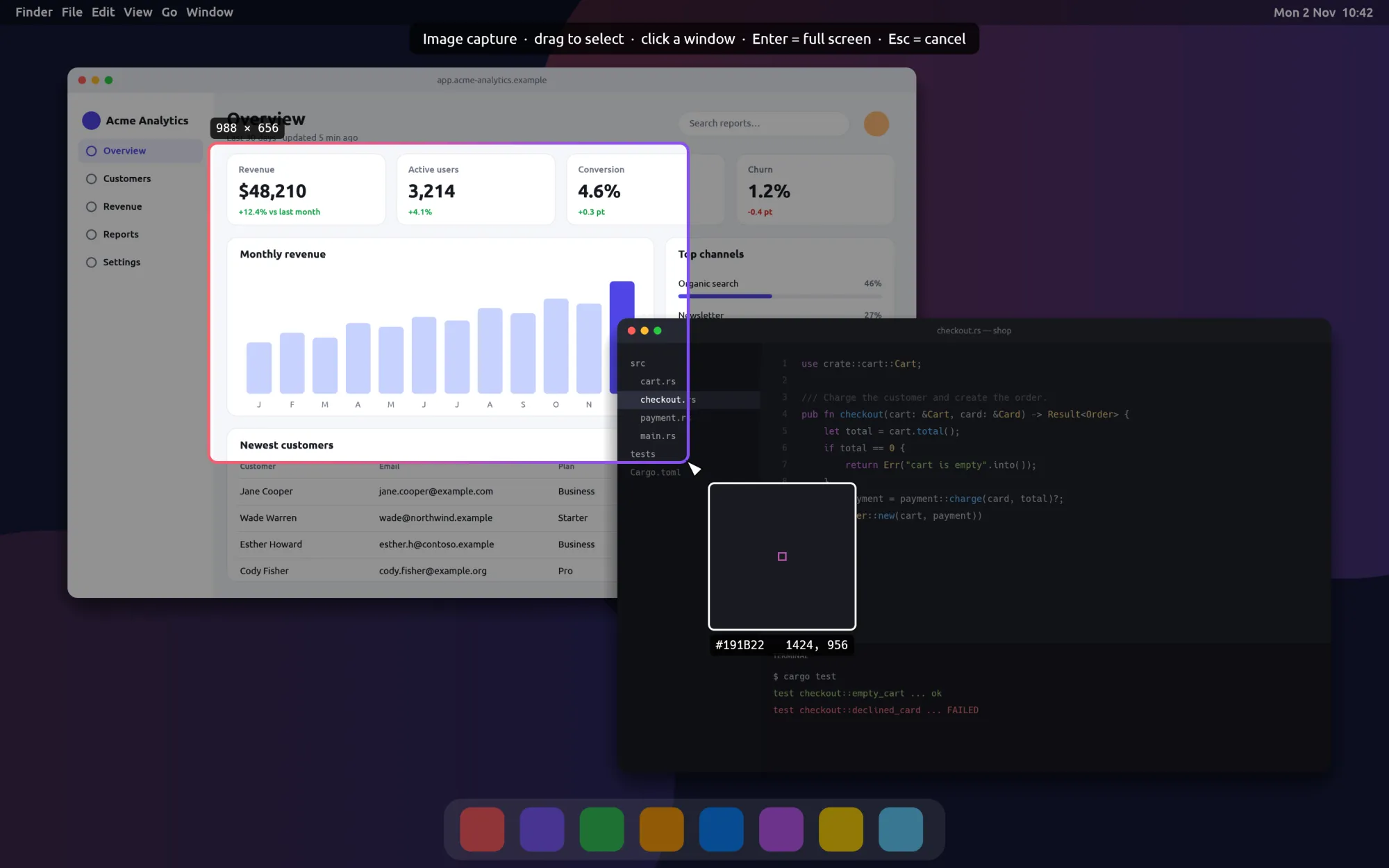
Rega lives in your menu bar or system tray. Press a shortcut anywhere and you're capturing — no window to find first.
Drag an area or click a window, with a pixel magnifier.
⌃⌥CThe whole display under your cursor.
⌃⌥FRecord to MP4 or GIF, trim it in the built-in player.
⌃⌥RRega scrolls for you and stitches one tall image.
⌃⌥SDo a task once; every click becomes a step.
⌃⌥GSelect any text on screen — it's on your clipboard.
⌃⌥TClick any pixel on screen — its hex code is on your clipboard.
⌃⌥PArrows, callouts, highlights, blur, numbered steps, stamps and a magnifier. Every mark stays editable — select it to move, recolour, resize, rotate, copy or delete.
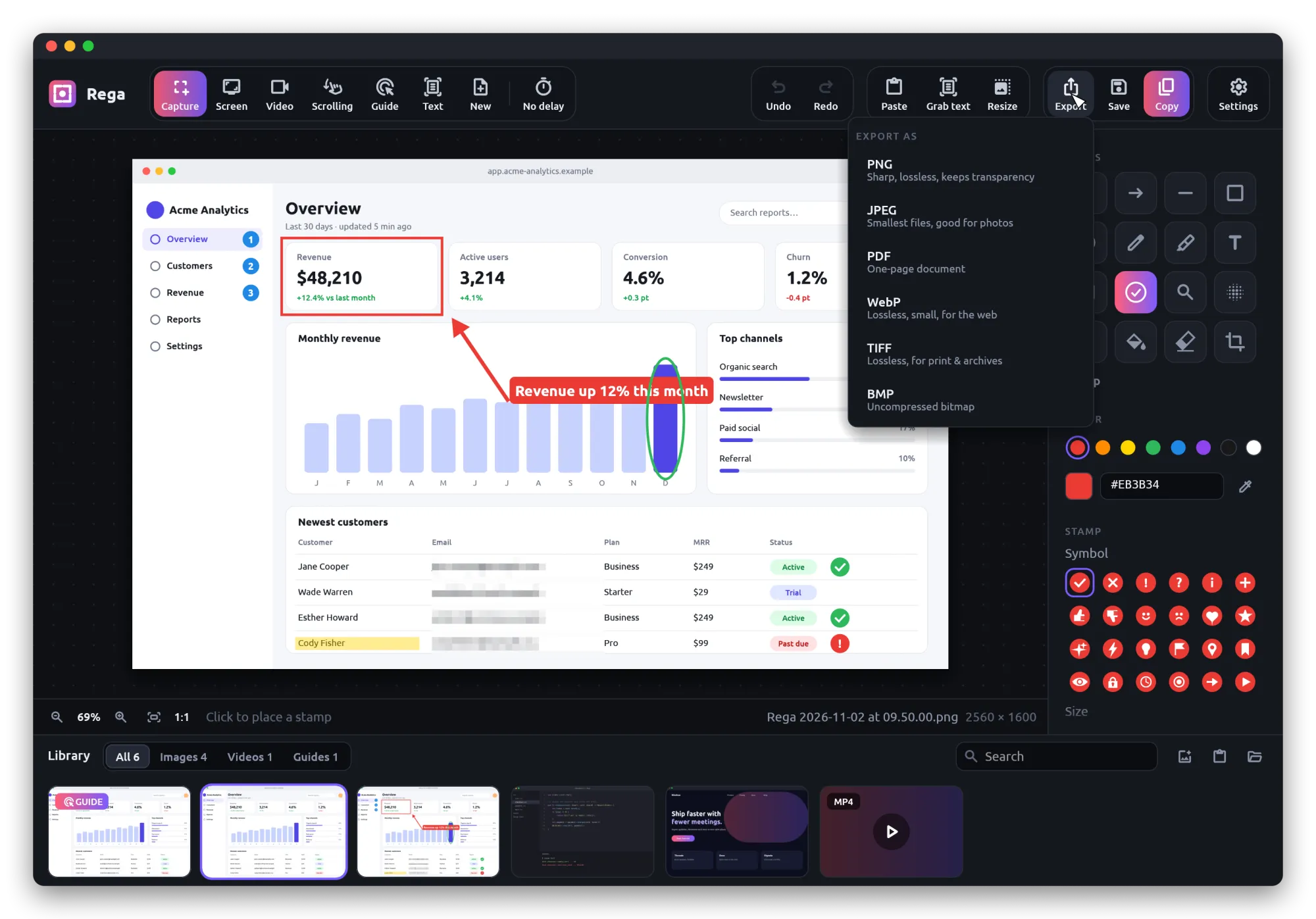
Rega freezes the screen while you select, so menus and hover states stay put.
Press ⌃⌥G and do the task as usual. Every click becomes a step with a screenshot and a marker on what you clicked; typing in a field becomes one step.
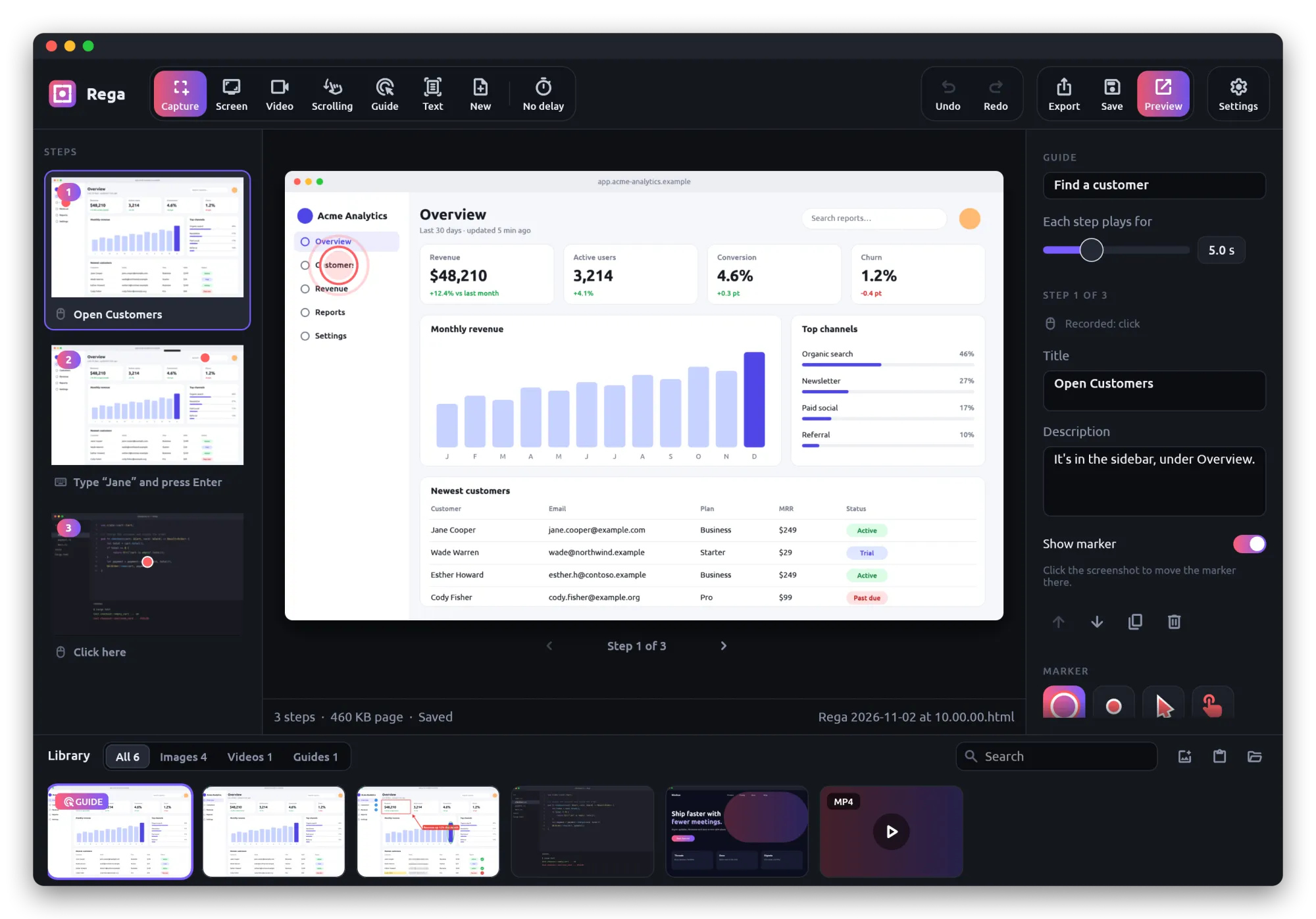
This is a real guide made with Rega. Click Next, use the arrow keys, or tap either edge of the picture; click the picture itself to pause. Open it full screen ↗
Press B and drag over emails, names or tokens. Pixelate or blur — and fix a missed spot later.
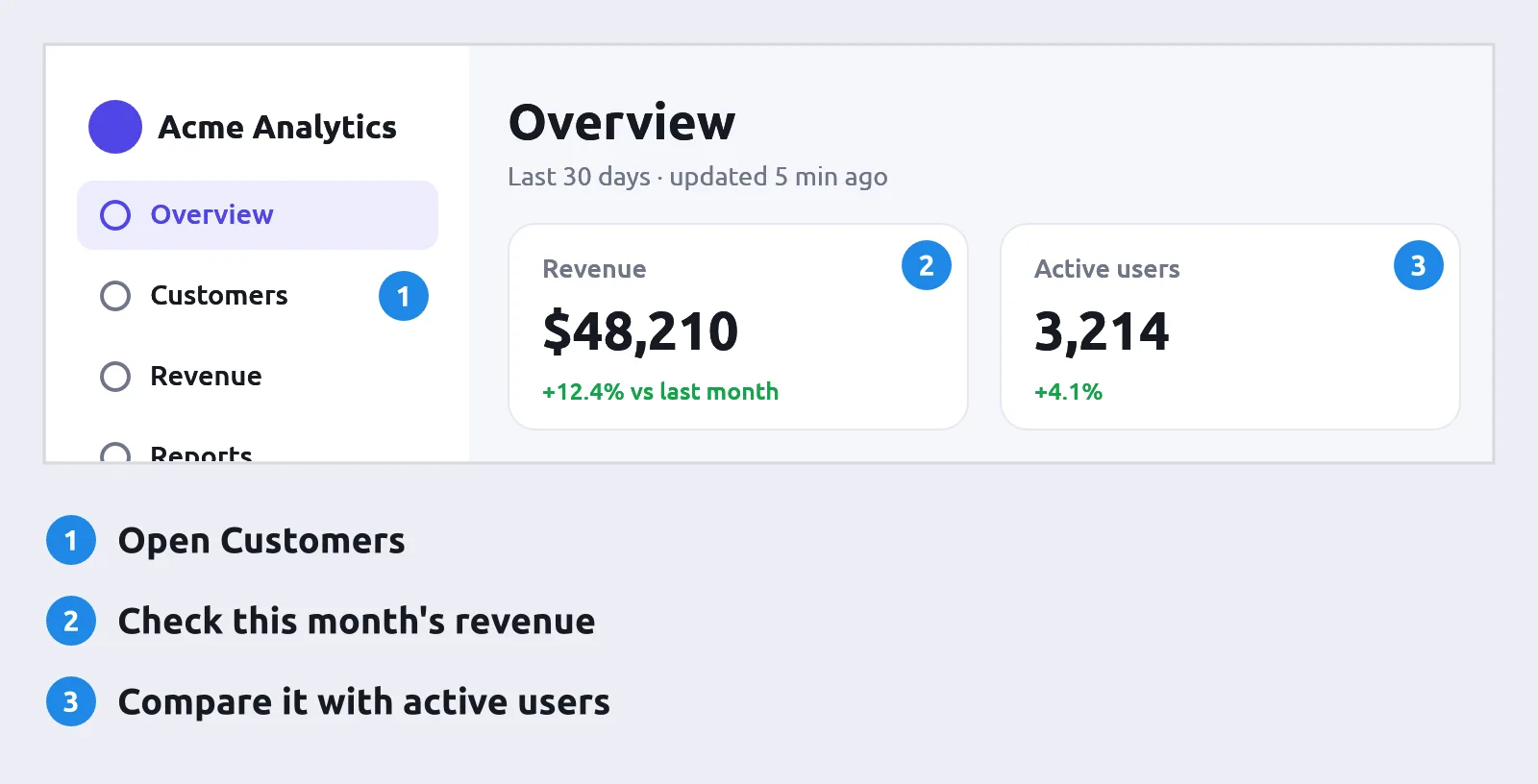
Press N and click each control: 1, 2, 3. Export a one-page PDF.
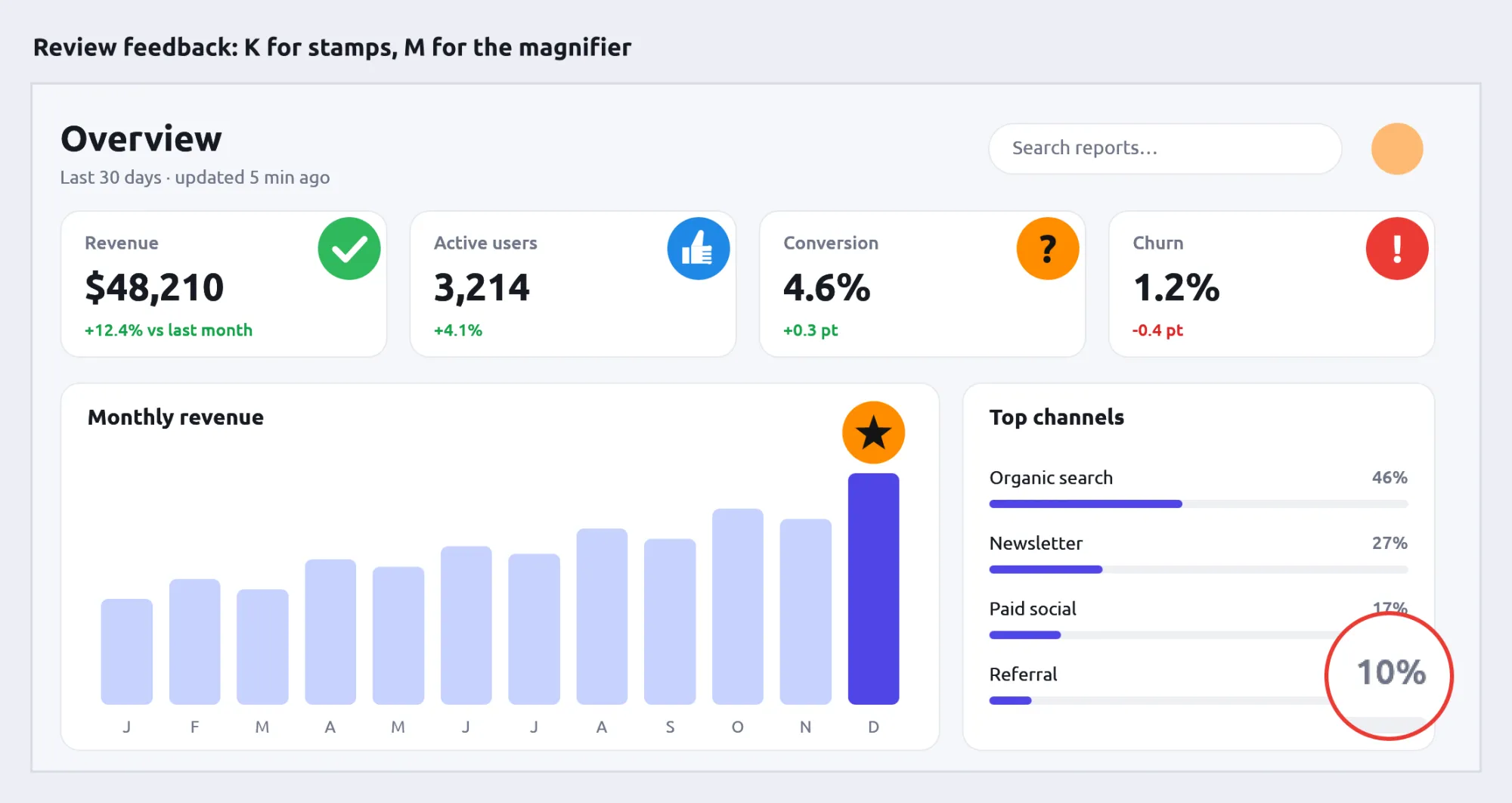
Drop ✓, 👍, ? and ! stamps, magnify the small print, paste into the thread.
MP4 or GIF with pause, resume and a cursor highlight. Trim it, or save just the trimmed part as a GIF.
Video calls, images, error dialogs. Built on the OCR inside macOS and Windows.
Start from a blank canvas, paste or drag in screenshots side by side, label them, export.
PNG, JPEG, PDF, WebP, TIFF or BMP — or just ⌘C and paste.
Every capture is saved and stays re-editable: the original pixels and your marks, side by side.
Re-record any global shortcut with a click; reset one or all.
No account, no cloud, nothing watching what you capture — and the code is open, so you don't have to take our word for it.
Captures, recordings and guides are files in a folder you pick. Nothing is sent anywhere.
Download, open, capture. There's nothing to sign up for.
No analytics in the app. The only request Rega makes is a daily look for a new version — and you can turn that off. This website counts visits only if you allow it.
Every line is on GitHub under the MIT License. Read what Rega does with your screen, or build it yourself.
In Israel you hear it all day: “Rega!” — hang on a second. “Rega, rega…” — wait, let me show you. “Rak rega” — just a moment.
That's how long it should take to show someone what's on your screen: one shortcut, one drag, and it's on their screen too. Just a rega.
Wait, it's Hebrew? If that has you warming up for “from the river to the sea”, relax: the only thing here that goes from end to end is a scrolling capture. Closing this tab takes about a rega.
No subscription, no trial, no “Pro” tier hiding the good tools. Every feature on this page is in the free download, and the code is open source.
The fine print: if the word “free” makes you think “Free Palestine”, you can definitely feel free — and not download.
Every global shortcut can be changed in Settings.
On Windows, read ⌘ as Ctrl, ⌥ as Alt and ⌃ as Ctrl.
Free for macOS and Windows. Rega tells you when a new version is out.
Rather build it yourself? The source and build steps are on GitHub. Found a bug? Tell us there.